

How it works · Xero
Lands in Xero as a Draft bill
Xero › Purchases overview › Bills › Draft
 ABCD
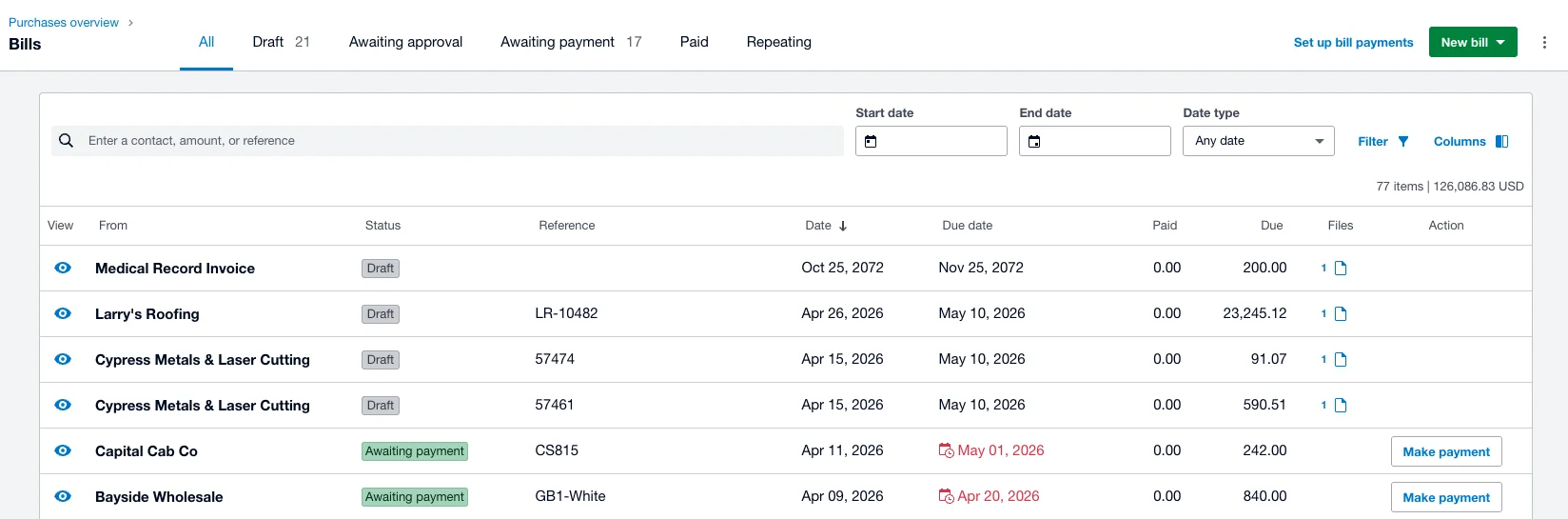
ABCD- Bills, under Purchases overview
- The Draft tab
- Each bill waits as a Draft
- The original, attached
A real screenshot from one of our Xero test companies, so the vendors differ from the document below. Tap it to open full size.
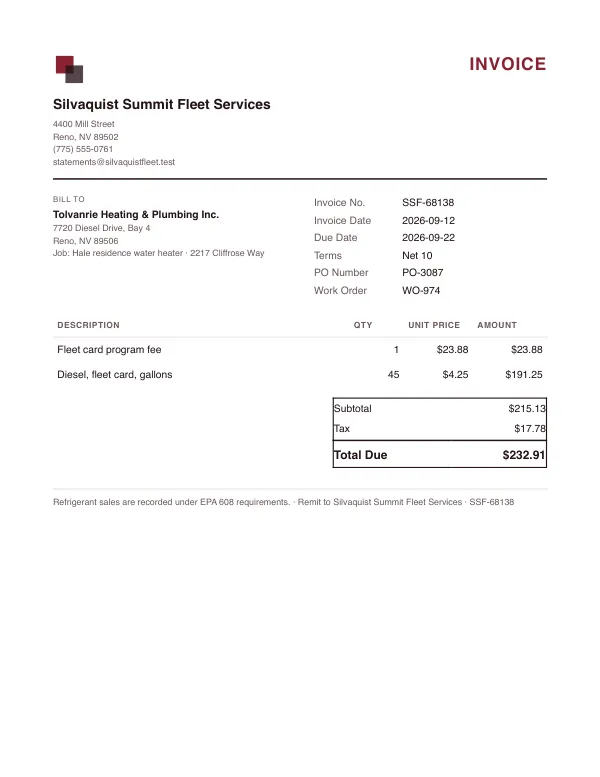
- FromSilvaquist Summit Fleet Services
- ReferenceSSF-68138
- Date12 Sep 2026
- Due date22 Sep 2026
- Lines2 lines, each with an account codeTax is included in the line amounts
- Total$232.91
Original PDF attached
Nothing hits the ledger until you approve it. Then Accounts Payable goes up by $232.91.
A real test page from our accuracy case study, where every scored field on it was read correctly. Every document is synthetic and every business on it is invented. Hover or tap a number to see where it goes.
Your rules
You decide what goes through on its own
One setting per Xero connection. A new connection starts on Hybrid for bills and Manual for receipts. Before any bill posts it is checked against the bills already in Xero for a duplicate, in every position.
Manual
Bills and credit memos
Every bill and credit note waits for you on the dashboard.
Receipts
Exact matches attach. A receipt with no match waits; you create the transaction.
Hybrid
Bills and credit memos
A contact already in your books is drafted on its own. A new contact waits for you.
Receipts
With no match, spend money is created when the merchant is known and the paying account is clear.
Automatic
Bills and credit memos
New contacts are drafted too, with no check that the sender is who they say.
Receipts
With no match, spend money is created right away.
Focus on growing your business,
not data entry.
Start your free trial today. No credit card required. Set up your account in under five minutes.