

Sign up today for free — no credit card down.Get started

    For accounting & bookkeeping firms

    Set up your firm on DocStreamAI

    One firm above three client organizations. Each client keeps its own workspace and books, its own people connect their own inboxes, and their vendors send the bills, receipts and credit memos that flow up into that client's books.Your firmone login · every client's booksNorthwind Ltdown bookstheir teamown inboxesBayside Coown bookstheir teamown inboxesHarbor LLCown bookstheir teamown inboxesBillReceiptCredit memo
    Every client is its own workspace with its own books and its own people connecting their own inboxes. Their vendors' bills, receipts and credit memos flow up into that client's ledger — and you work all of it from one firm login.

    Watch the firm tour.

    Your firm workspace, your clients, and one review queue across all of them.

    How accurate is it? See the accuracy case study
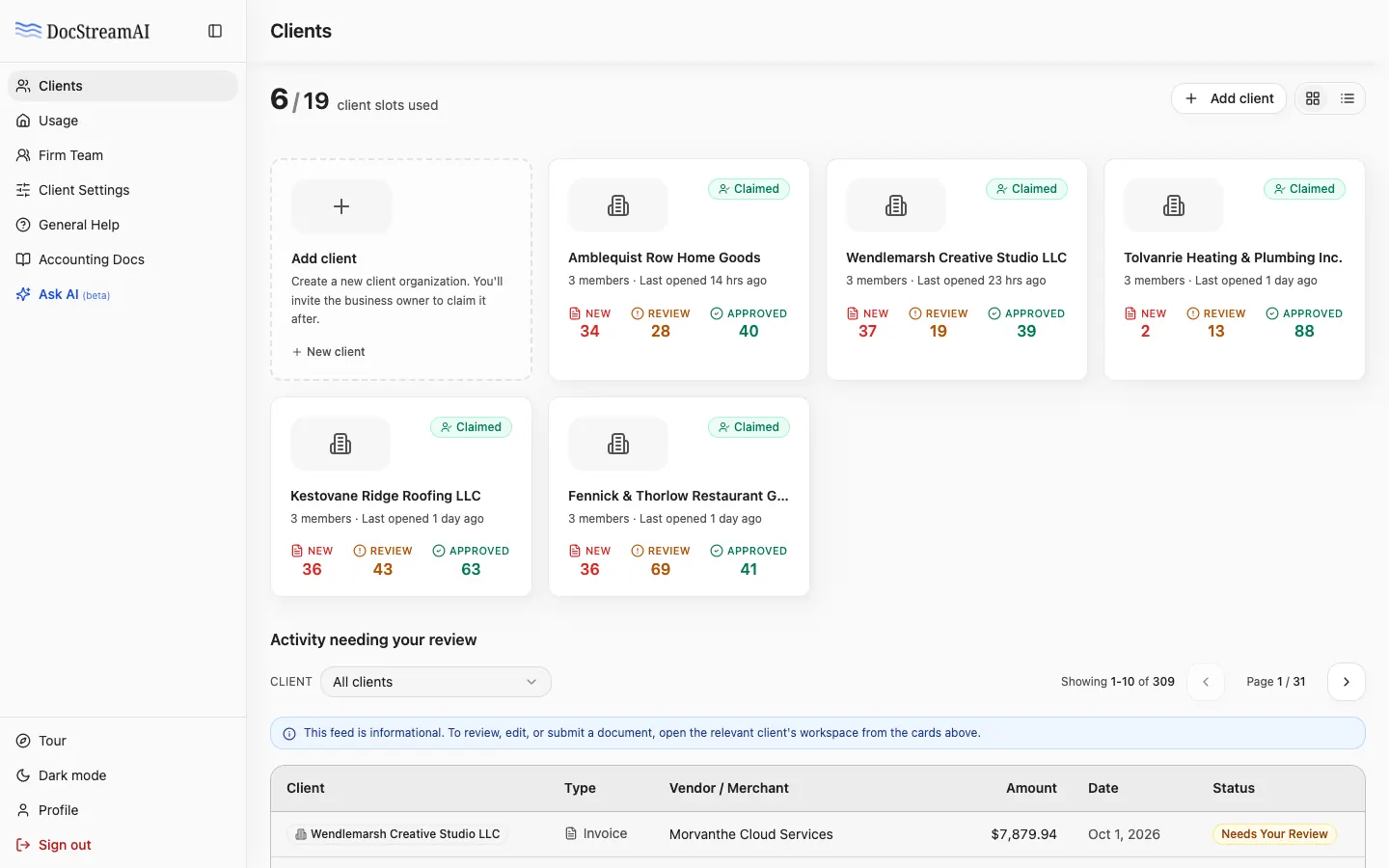
    Accountant firm Clients page: a card for each client organization with its new, in review and approved document counts
    01/18

    Once a client is in.

    Three things the client does once, in their own workspace.

    The client connects a mailbox, connects QuickBooks or Xero, then chooses which document types post automatically.1 · Connect the inboxGmailConnectOutlookConnector forward mail to the intake address2 · Connect the booksQuickBooksConnectXeroConnector your firm connects it on their behalf3 · Decide what auto-submitsBillsautoReceiptsautoCredit memosreviewset per client — change it any time
    Start Your Firm Trial

    Gmail setup guideSee the QuickBooks flowAccounting settings guide