
How the platform works
Three Core Systems Working Together For Effortless Accounting
Input Layer
Email Automation
Capture invoices, receipts, and credit memos directly from Gmail and Outlook.
 Gmail
Gmail Outlook
Intelligence Layer
AI Processing
Classify, extract, and prepare structured data automatically.
System Core
DocStreamAI Engine
Capture, classify, extract, route, and sync across the full document lifecycle.


Email Automation
Capture and organize incoming financial documents automatically

Automated Email Monitoring
DocStreamAI connects to your team's Gmail and Outlook accounts and watches for incoming financial documents in real time. No manual forwarding, no scanning, no uploads required for email-sourced documents.
Core capabilities
- 1Real-time Gmail and Outlook monitoring for all connected team members for invoices, receipts, and credit memos
- 2AI-powered classification that distinguishes financial documents from newsletters, notifications, and general correspondence
- 3A centralized dashboard displaying all incoming financialdocuments across the organization, regardless of recipient
Business impact
Invoices and receipts are captured the moment they arrive — no forwarding, no scanning, no forgotten documents. Nothing gets lost in inboxes.
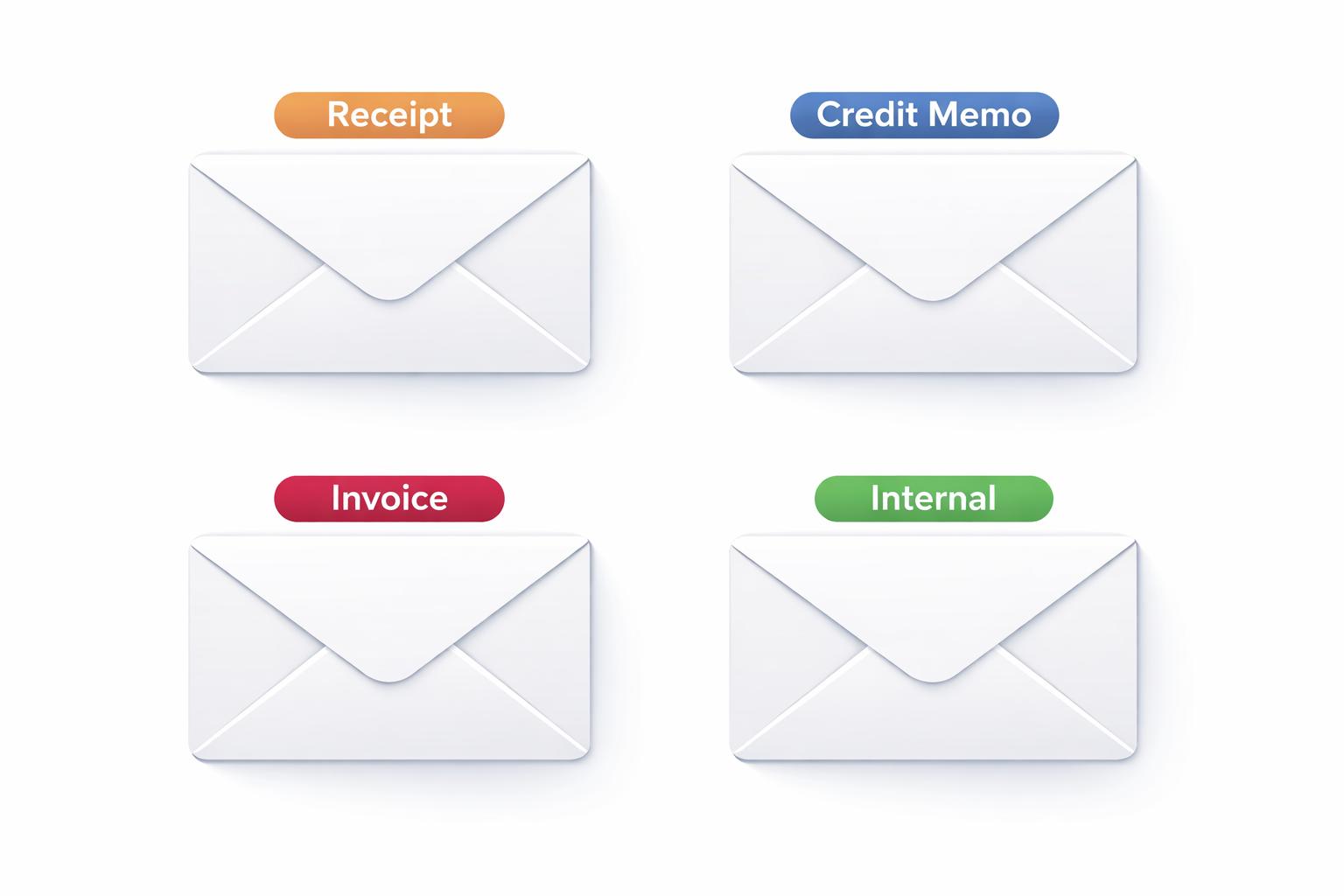
Gmail Label and Outlook Category Management
Processed emails are automatically marked in the mailbox, as a label in Gmail and as a category in Outlook, so your team can see at a glance which emails have been handled.
Core capabilities
- 1Automatic Gmail labels and Outlook categories: Invoice, Receipt, Credit Memo, Internal
- 2Applied to the sender's mailbox immediately after classification
- 3Organization-wide fanout: when multiple team members receive the same email, the marker is applied across all their inboxes
Business impact
See at a glance which emails have been captured and classified, directly in Gmail or Outlook, without opening the platform.
Automated Email Monitoring
DocStreamAI connects to your team's Gmail and Outlook accounts and watches for incoming financial documents in real time. No manual forwarding, no scanning, no uploads required for email-sourced documents.
Core capabilities
- 1Real-time Gmail and Outlook monitoring for all connected team members for invoices, receipts, and credit memos
- 2AI-powered classification that distinguishes financial documents from newsletters, notifications, and general correspondence
- 3A centralized dashboard displaying all incoming financialdocuments across the organization, regardless of recipient
Business impact
Invoices and receipts are captured the moment they arrive — no forwarding, no scanning, no forgotten documents. Nothing gets lost in inboxes.
Gmail Label and Outlook Category Management
Processed emails are automatically marked in the mailbox, as a label in Gmail and as a category in Outlook, so your team can see at a glance which emails have been handled.
Core capabilities
- 1Automatic Gmail labels and Outlook categories: Invoice, Receipt, Credit Memo, Internal
- 2Applied to the sender's mailbox immediately after classification
- 3Organization-wide fanout: when multiple team members receive the same email, the marker is applied across all their inboxes
Business impact
See at a glance which emails have been captured and classified, directly in Gmail or Outlook, without opening the platform.
AI Processing
Read, classify, and structure document data with AI
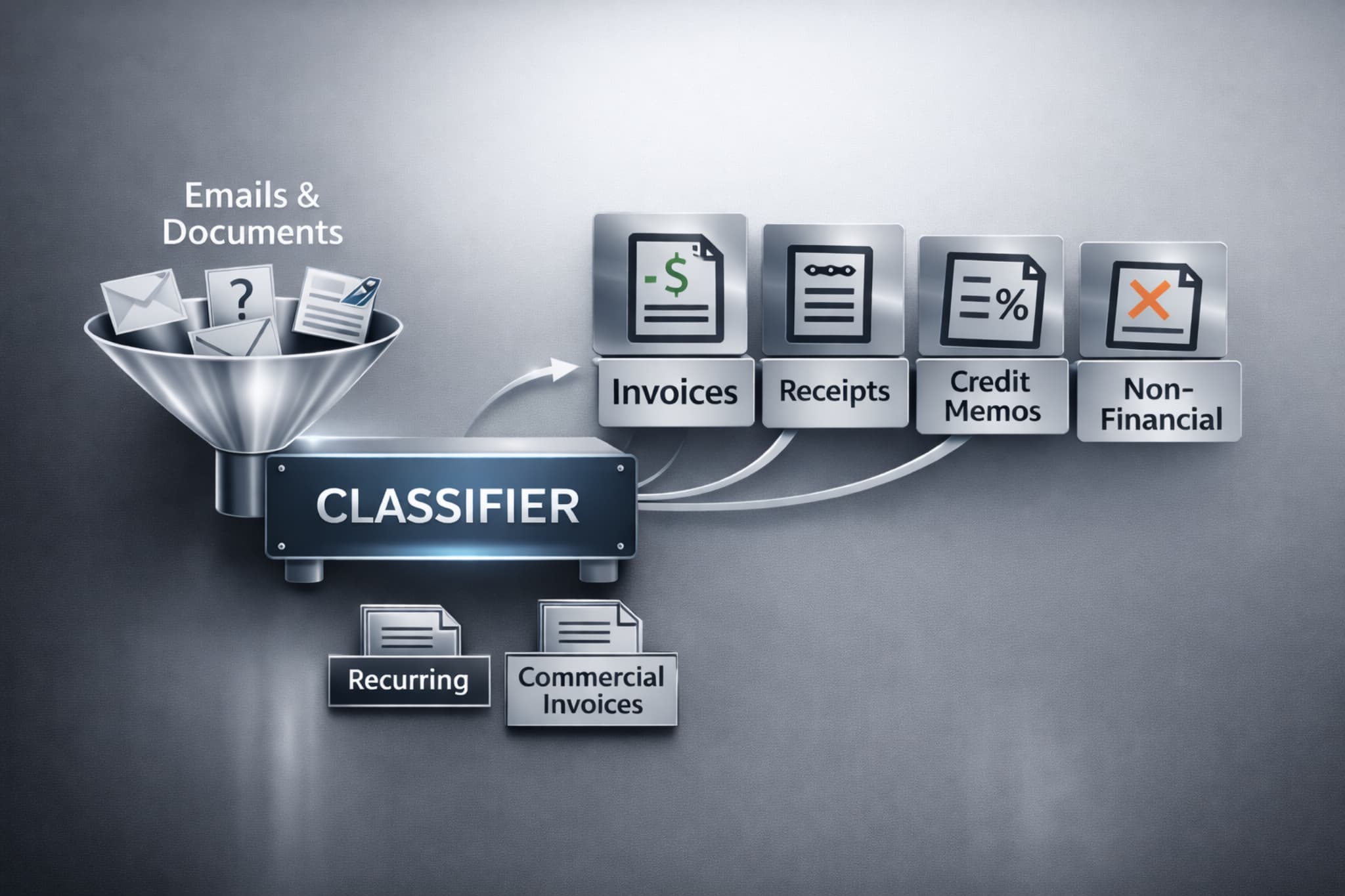
Smart Document Classification
Every incoming document is automatically identified and categorized before processing begins. DocStreamAI analyzes email content, attachments, and document structure to determine exactly what type of financial document has arrived.
Core capabilities
- 1Dedicated workflows for different financial document types so data is accurate
- 2Organization-level controls to handle how different documents are processed (e.g. auto-approve certain vendors, etc.)
Business impact
No manual sorting or labeling. Every document is recognized and routed to the correct workflow automatically.
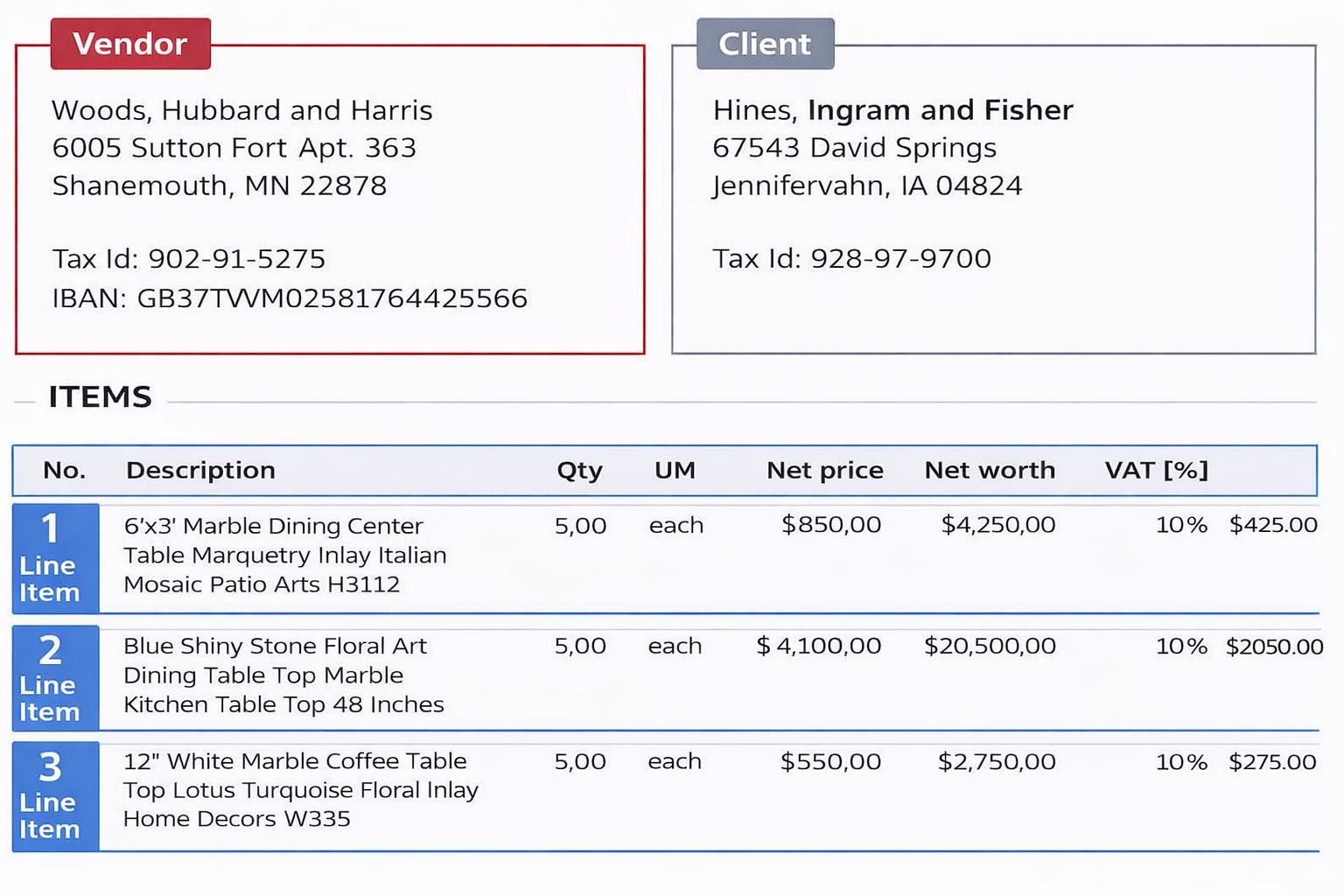
Automatic Data Extraction
Documents are automatically read and financial data is extracted so bills can be created without manual data entry, while still allowing teams to review or approve them if desired.
Core capabilities
- 1Captures vendor name, invoice number, dates, totals, taxes, and payment terms
- 2Extracts line items including descriptions, quantities, prices, and amounts
- 3Detects currencies automatically when documents are issued in different currencies
Business impact
Stop retyping document data. Bills and expenses are created automatically with categories assigned from your existing accounting setup.
Smart Document Classification
Every incoming document is automatically identified and categorized before processing begins. DocStreamAI analyzes email content, attachments, and document structure to determine exactly what type of financial document has arrived.
Core capabilities
- 1Dedicated workflows for different financial document types so data is accurate
- 2Organization-level controls to handle how different documents are processed (e.g. auto-approve certain vendors, etc.)
Business impact
No manual sorting or labeling. Every document is recognized and routed to the correct workflow automatically.
Automatic Data Extraction
Documents are automatically read and financial data is extracted so bills can be created without manual data entry, while still allowing teams to review or approve them if desired.
Core capabilities
- 1Captures vendor name, invoice number, dates, totals, taxes, and payment terms
- 2Extracts line items including descriptions, quantities, prices, and amounts
- 3Detects currencies automatically when documents are issued in different currencies
Business impact
Stop retyping document data. Bills and expenses are created automatically with categories assigned from your existing accounting setup.
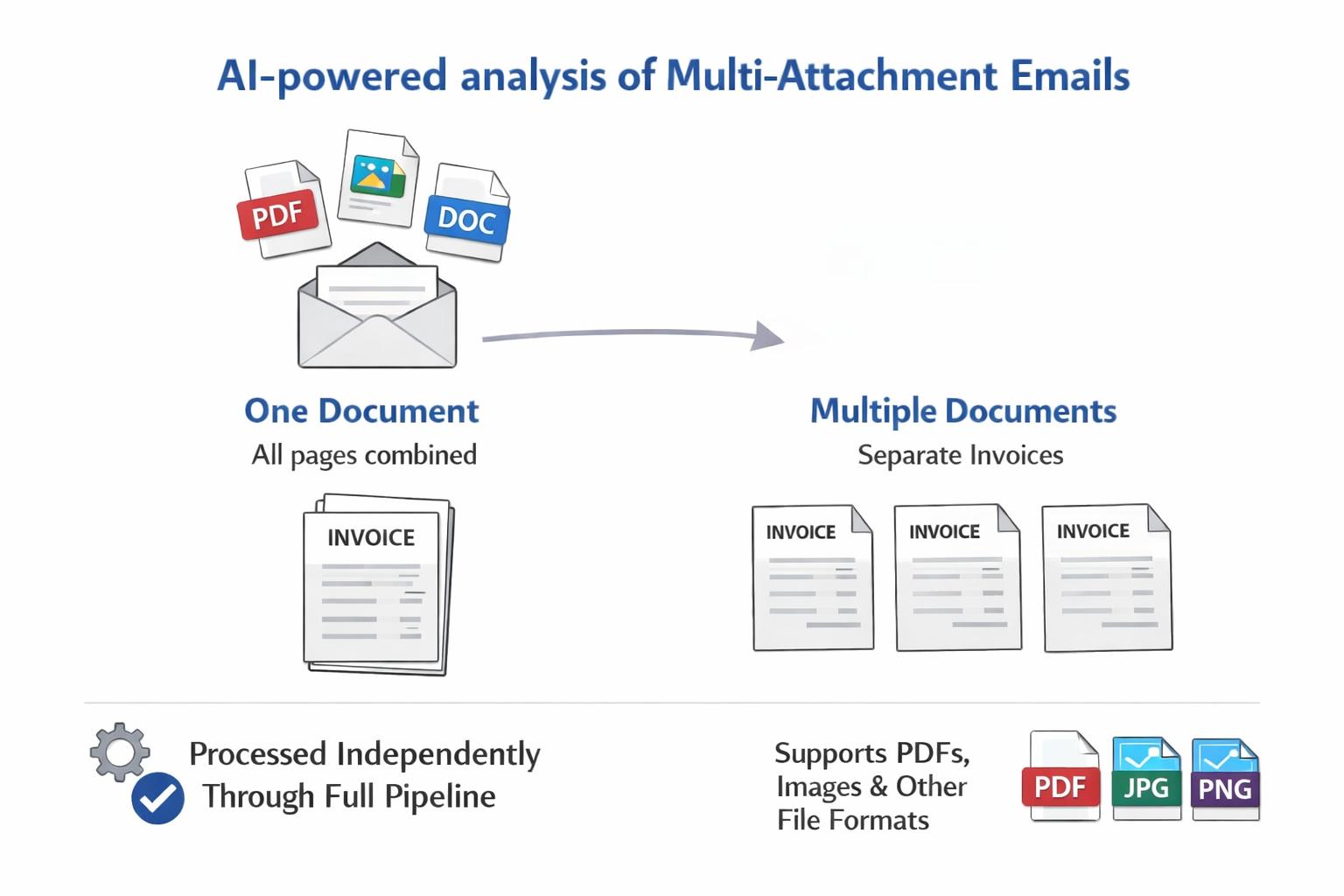
Multi-Attachment Intelligence
When an email contains multiple attachments, the system determines whether they're pages of the same document or separate invoices.
Core capabilities
- 1AI-powered analysis of multi-attachment emails
- 2Two outcomes: all attachments belong together (one document) or each is separate (multiple documents)
- 3Separate invoices are each processed independently through the full pipeline
- 4Supports PDFs, images, and other common file formats
Business impact
Three invoice PDFs become three bills. A three-page invoice becomes one. The system figures out the difference automatically.
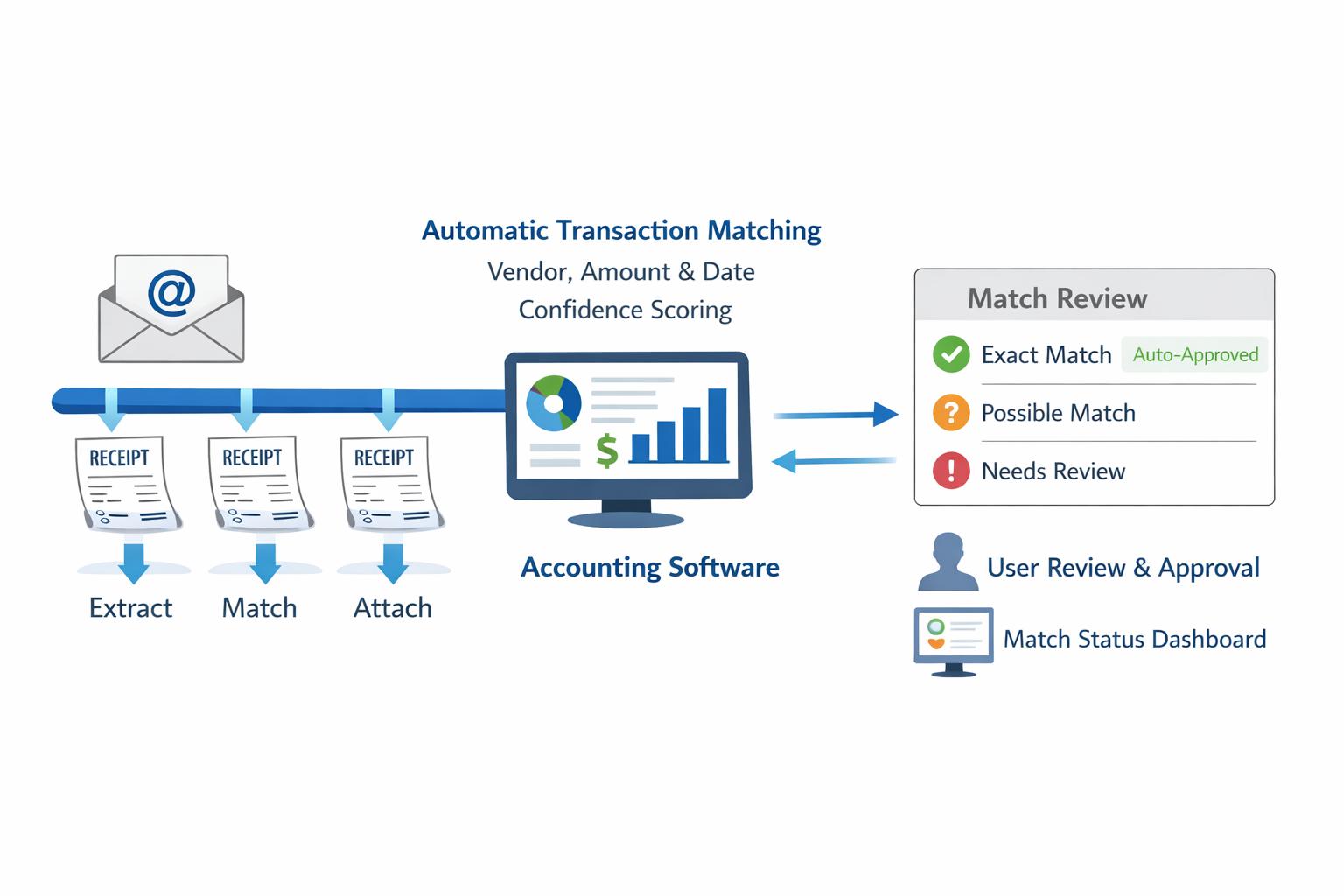
Intelligent Receipt Management
Receipts follow a dedicated pipeline: extracted, matched to existing transactions, and attached with user review when matches are uncertain.
Core capabilities
- 1Automatic transaction matching by vendor name, amount, and date with confidence scoring
- 2Auto-approve exact matches when configured (no manual review needed for exact matches)
- 3User approval workflow for uncertain matches via the dashboard
- 4Dashboard visibility into match status, confidence scores, and candidates
Business impact
Receipts are matched to the right expense and attached automatically. Uncertain matches are surfaced for quick one-click review.
Multi-Attachment Intelligence
When an email contains multiple attachments, the system determines whether they're pages of the same document or separate invoices.
Core capabilities
- 1AI-powered analysis of multi-attachment emails
- 2Two outcomes: all attachments belong together (one document) or each is separate (multiple documents)
- 3Separate invoices are each processed independently through the full pipeline
- 4Supports PDFs, images, and other common file formats
Business impact
Three invoice PDFs become three bills. A three-page invoice becomes one. The system figures out the difference automatically.
Intelligent Receipt Management
Receipts follow a dedicated pipeline: extracted, matched to existing transactions, and attached with user review when matches are uncertain.
Core capabilities
- 1Automatic transaction matching by vendor name, amount, and date with confidence scoring
- 2Auto-approve exact matches when configured (no manual review needed for exact matches)
- 3User approval workflow for uncertain matches via the dashboard
- 4Dashboard visibility into match status, confidence scores, and candidates
Business impact
Receipts are matched to the right expense and attached automatically. Uncertain matches are surfaced for quick one-click review.
Accounting Sync
Keep your accounting system aligned and duplicate-free
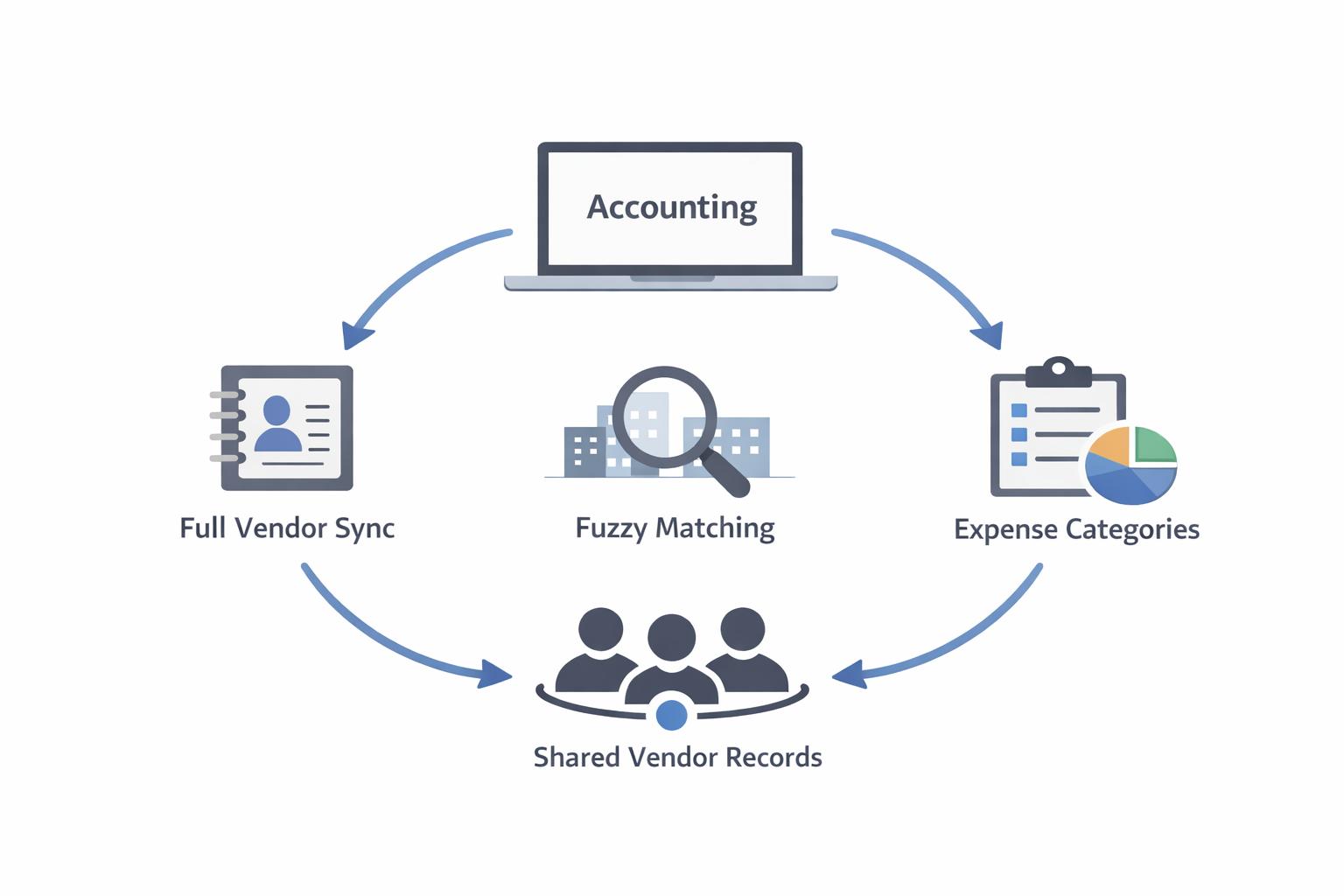
Vendor and Metadata Synchronization
The platform keeps your local vendor list, expense categories, and currency settings in sync with your accounting platform.
Core capabilities
- 1Full vendor/contact list sync from QuickBooks or Xero (handles thousands of vendors)
- 2Normalized vendor name matching for fuzzy lookups during submission
- 3Expense category/account sync for line-item categorization
- 4Enabled currency sync so the system knows which currencies your accounting platform supports
- 5Organization-scoped vendor records shared across all team members
Business impact
Vendor matching and categorization work instantly — your vendor list, categories, and currencies are always in sync with your accounting platform.
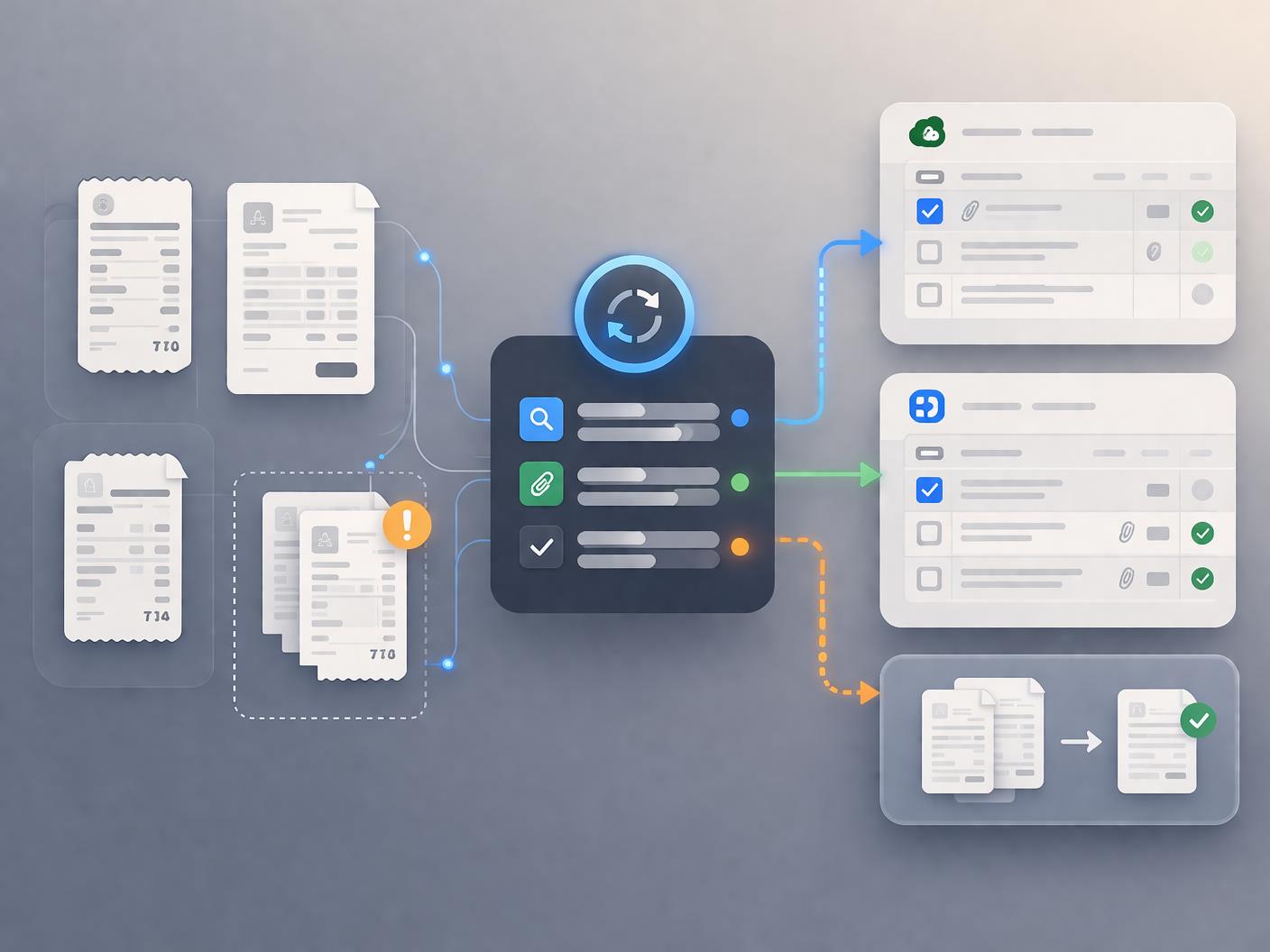
External Reconciliation Detection
The system detects when receipts or invoices have been handled outside of DocStreamAI, keeping your dashboard accurate and preventing duplicates.
Core capabilities
- 1Scheduled sweep of all pending receipt matches and invoice extractions
- 2Checks each matched transaction in QBO/Xero for attachments
- 3Updates match status to 'externally reconciled' when a receipt was attached outside the platform
- 4Invoice duplicate re-checking: periodically scans bills in your accounting platform to catch duplicates before they're inserted
- 5On-demand reconciliation checks triggered from the dashboard
Business impact
Your dashboard stays accurate and duplicate-free — even when receipts or bills are handled outside DocStreamAI.
Vendor and Metadata Synchronization
The platform keeps your local vendor list, expense categories, and currency settings in sync with your accounting platform.
Core capabilities
- 1Full vendor/contact list sync from QuickBooks or Xero (handles thousands of vendors)
- 2Normalized vendor name matching for fuzzy lookups during submission
- 3Expense category/account sync for line-item categorization
- 4Enabled currency sync so the system knows which currencies your accounting platform supports
- 5Organization-scoped vendor records shared across all team members
Business impact
Vendor matching and categorization work instantly — your vendor list, categories, and currencies are always in sync with your accounting platform.
External Reconciliation Detection
The system detects when receipts or invoices have been handled outside of DocStreamAI, keeping your dashboard accurate and preventing duplicates.
Core capabilities
- 1Scheduled sweep of all pending receipt matches and invoice extractions
- 2Checks each matched transaction in QBO/Xero for attachments
- 3Updates match status to 'externally reconciled' when a receipt was attached outside the platform
- 4Invoice duplicate re-checking: periodically scans bills in your accounting platform to catch duplicates before they're inserted
- 5On-demand reconciliation checks triggered from the dashboard
Business impact
Your dashboard stays accurate and duplicate-free — even when receipts or bills are handled outside DocStreamAI.
Stop Manually Entering
Financial Documents
DocStreamAI gives your team one system for capturing, extracting, reviewing, and syncing invoices, receipts, and credit memos.